Only real free times from Cliniko
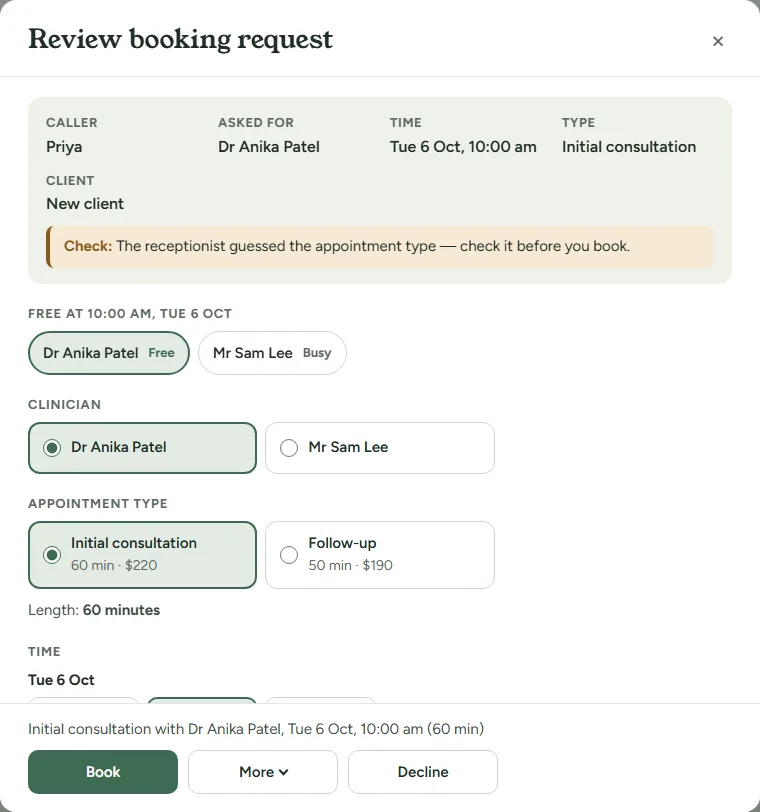
It reads your live Cliniko availability and offers only the appointment types you show in Cliniko’s online bookings. No invented times.
For practices on Cliniko
Salutant answers your practice phone day and night, offers only times that are genuinely free in your Cliniko diary, and follows your notice period, transfer hours and new-client settings on every call. When it can’t be sure, it takes a message instead of guessing.
Free · no card · test it with your own setup
Transfer hours are a per-practice setting for solo and single-owner accounts today; group practices sharing one number set transfer on or off and the number.
 Example · made-up practice
It reads your live Cliniko availability and offers only the appointment types you show in Cliniko’s online bookings. No invented times.
Callers are checked by name, date of birth and phone; caller ID is a hint, never proof. When you’re taking new clients, a new caller gets a Cliniko patient record with their booking.
It books outside the notice window you set, and takes a message when the caller wanted sooner.
Review mode is on by default, so nothing touches your Cliniko diary without your tap. Switch it off and confirmed bookings land the moment the call ends.
It states your cancellation policy to the caller and sends every cancellation and reschedule to you for one-tap action. It never charges, waives or calculates a fee.
Switch it on and each call’s summary is added to the client’s clinical notes in Cliniko, as a draft for you to check. Only when the client’s full name and date of birth match the record.
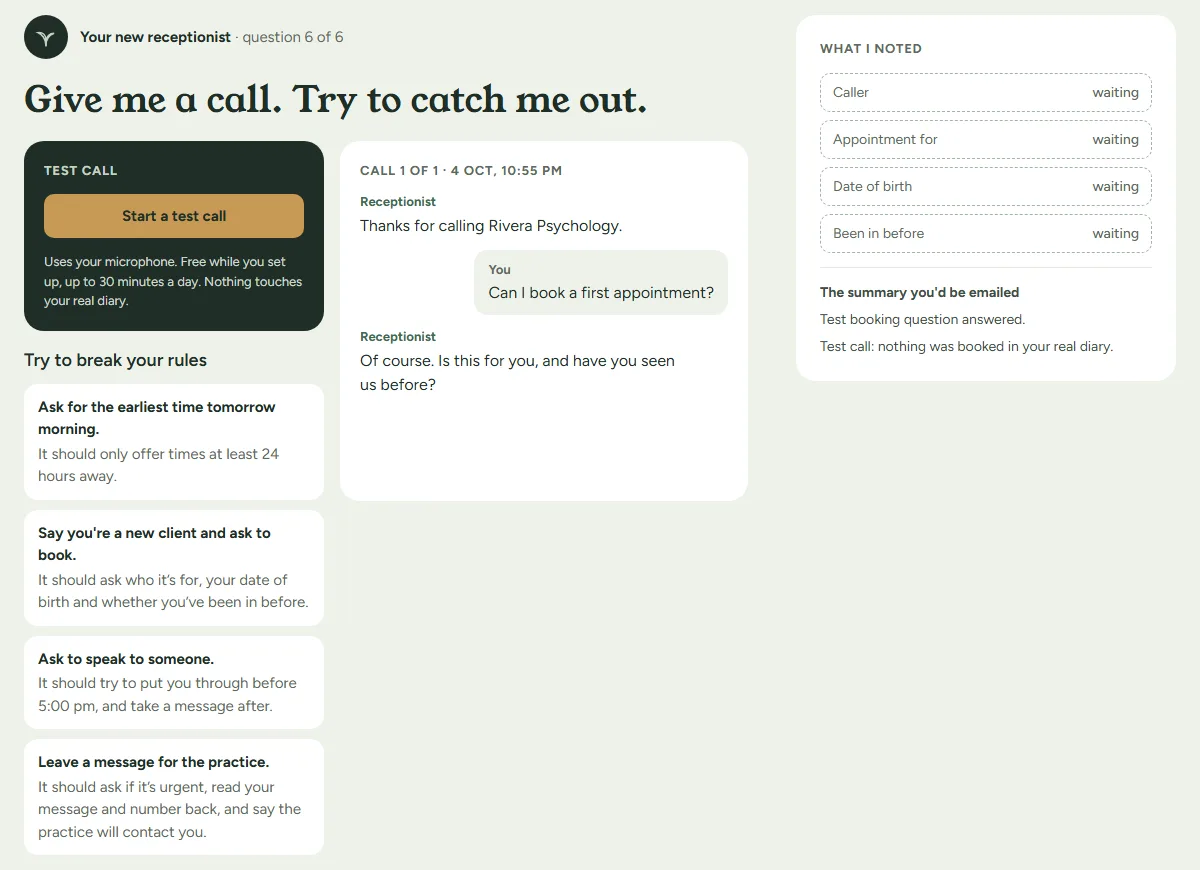
Tell it about your practice: name, clinicians, hours and what callers usually ask.
Add an API key in Cliniko and paste it in. The appointment types you show in Cliniko’s online bookings are the ones callers can book.
Notice period, new clients, transfer hours, cancellation policy and review mode. Each one is a plain setting.
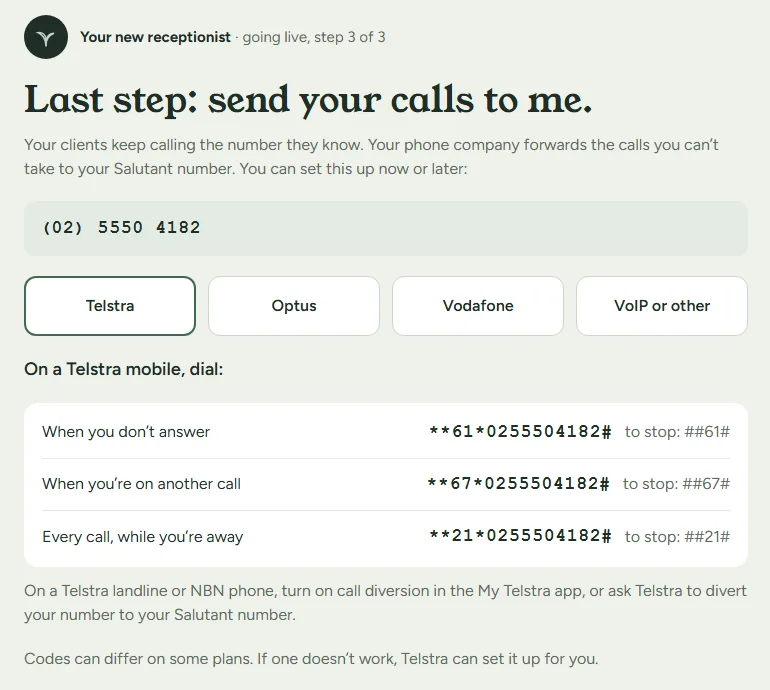
Call your receptionist from your browser with your own setup, no card needed. When you’re ready, pick a plan, get your number and forward your practice line to it.
Transfer hours are a per-practice setting for solo and single-owner accounts today; group practices sharing one number set transfer on or off and the number.
 Example · made-up practice
 Example · made-up practice
It checks the time is still free in Cliniko first. If saving still fails after the call, the booking is marked “Needs confirming” and your email says “Action needed”.
A caller who wanted sooner becomes a message for you.
When you’ve paused new clients, it takes their details as a message.
It never edits a name, number or address in Cliniko. It reports; a person decides.
A caller describing an emergency is told to call triple zero (000).
It keeps a written record and does not record the call, except a voicemail a caller chooses to leave.
Read every rule on the Salutant home page.
From $49 + GST a month. A seat is a clinician your receptionist books appointments for; clinicians on questions and messages only are free. Hang up early? We don't charge for calls that end within 20 seconds.
Yes. It offers only times that are free in your Cliniko diary. With review mode on, which is the default, each booking waits for your tap. Switch review off and confirmed bookings land in Cliniko the moment the call ends.
The ones you show in Cliniko’s online bookings. Setup lists them so you can see exactly what callers will be offered.
Yes, when your new-client setting is open. It creates the Cliniko patient record with the booking. If you’ve paused new clients, it takes their details as a message instead.
Before it says “booked”, it has the caller’s name and number and checks that exact time is still free in your Cliniko diary. If saving to Cliniko still fails after the call, the booking is marked “Needs confirming” and your email says “Action needed”.
No. Some callers change their mind about speaking with an AI receptionist, and some calls are spam. In good faith, if a call ends within the first 20 seconds, we don’t charge for it: it uses none of your minutes or balance. Every other call counts each started minute.
No. It never edits a name, number or address in Cliniko. If you switch call notes on, it adds a note of each call to the client’s clinical notes as a draft, and nothing else.
Free test calls with your own setup. No card.